Normally, paying for a government service means going to the GovPay web platform to generate an assessment number, then heading to the bank or jumping into another app to pay against it. With Waychit, it's one app, one flow. Generate the assessment and pay instantly using any payment method, whether it's your card, mobile wallet, or bank account.
Services · Government Services (GovPay)
Government Services (GovPay)
GovPay: pay for government services from your phone.
Features
Why Waychit for
government services (govpay)
GovPay: pay for government services from your phone.
- 01ID Card Payments
- 02Passport Fees
- 03Land & Property Documents
- 04Tax Payments (GRA)
- 05Licenses & Permits
- 06Fines & Court Fees
- 07Vehicle Registration
- 08Birth & Death Certificates
Looking for govpay.gov.gm?
Pay GovPay in one flow, no portal hop
Skip the portal. On Waychit you pick the revenue type, confirm the amount, and pay. We generate the assessment for you and hand you an instant official digital receipt, ready for the office.
One flow
No portal login, no assessment number to copy. Waychit handles it.
Any wallet or card
Afrimoney, QMoney, Wave, Visa, Mastercard, Apple Pay, Google Pay.
Instant receipt
Official digital receipt in seconds, ready to present at the office.
How to pay GovPay
How to pay GovPay with Waychit
- 01
Open Waychit and tap GovPay
Download the free app for iPhone or Android and sign in with your phone number.
- 02
Choose the service
Pick the revenue type you need: tax, passport, permit, ID, fines and more.
- 03
Enter your details
Add your reference or application details and confirm the amount shown.
- 04
Pay with any method
Afrimoney, QMoney, Wave, Visa or Mastercard. No bank queue.
- 05
Keep your receipt
Your official digital receipt arrives instantly. Show it at the office.
GovPay register and login
Do I need a GovPay account?
- Do I have to register on GovPay to pay?
- No. When you pay through Waychit you only need a Waychit account. Signing up takes a minute with your phone number, and the assessment is created for you.
- I can't log in to GovPay. Can I still pay?
- Yes. Waychit does not use your GovPay login, so a forgotten password does not stop you paying. Open the app, tap GovPay and pay as normal.
- I already have an assessment number
- You can still pay it on Waychit with any wallet or card and get an instant receipt.
- Where is the official GovPay portal?
- The government portal is govpay.gov.gm. Use it if you need to manage an existing GovPay account. Waychit is a separate, faster way to pay.
How It Works
Pay for government services in 5 steps
Select Government Service
Open the app, choose 'Government Services', and select the revenue type you need to pay for - passports, IDs, land titles, taxes, and more.
Government Service
Search & Select Revenue Type
Browse or search through available government revenue types. Find your service quickly with the built-in search.
Government Service
Revenue types
Enter Your Details
Fill in the company or person name and the amount to pay. All fields are validated before you continue.
Government Service
Choose Payment Method
Pick from your linked cards, wallets, or bank accounts - Visa, Mastercard, Afrimoney, QMoney, and more.
Government Service
Select a payment method
Mastercard
**** **** **** 3***
Visa
**** **** **** 1***
Afrimoney
275 ****
QMoney
368 ****
Payment Confirmed
Payment is processed instantly and you receive a digital receipt as official proof. Take that receipt with you to the relevant government office to be issued the document or service you paid for.
Payment Successful
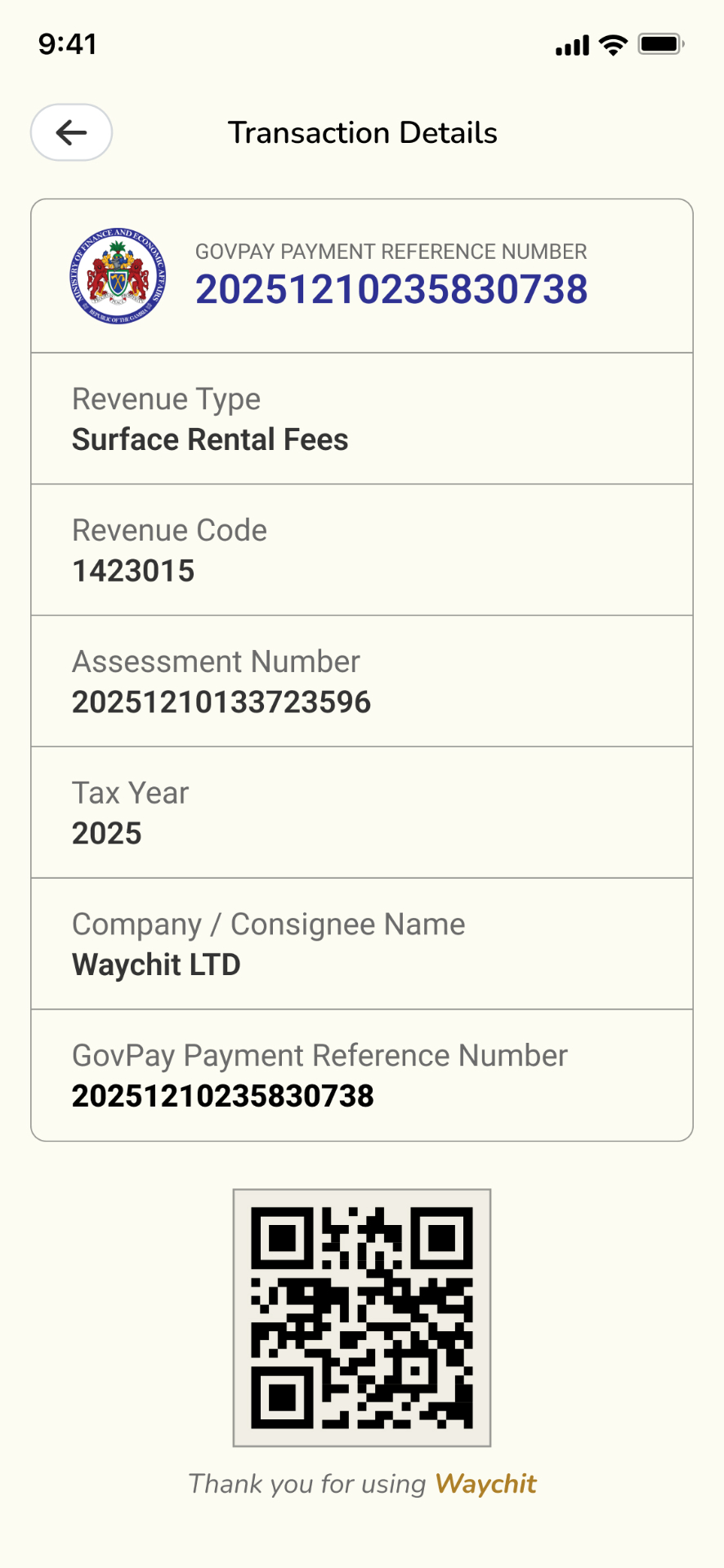
Your passport payment of D3,000 has been received. A digital receipt has been sent to your account.
Revenue Type
Passport
Name
John D**
Amount
D3,000
Reference
GOV-**** 7291
Date & Time
Feb 11, 2026 - 11:12 PM
Build it in
Take GovPay payments on your platform
Any website, app, agent or developer can integrate with Waychit to pay Gambian government services for customers and earn on every transaction.
See the Government Service APIAccepted Payment Methods
Pay with any method












Testimonials
What people are saying
"Waychit has transformed how I accept payments. My customers love the convenience and I love seeing the money hit my account instantly."
Fatou Jallow
Small Business Owner
"Paying my school fees used to take a whole day queuing at the bank. With Waychit, I do it in seconds from my phone."
Mariama Touray
University Student
"Excellent app making life easier by letting you pay online at your own comfort. I am now able to pay my GAMTEL internet ADSL without bothering to go for long queues. Jarama."
Gamtel User
ADSL Subscriber
100M+
Transactions processed
500+
Business partners
PCI DSS
Compliant & secure
Government Services (GovPay)